
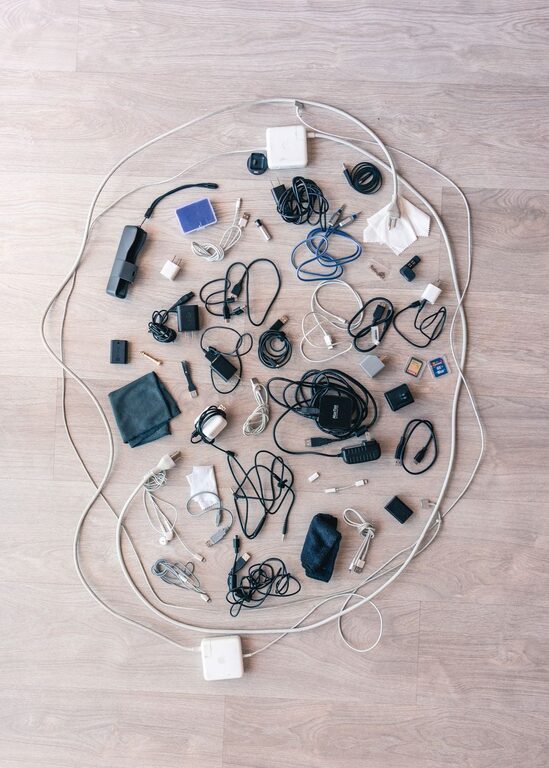
Keeping cables and chargers organized can make a desk, entertainment center, or travel bag much easier to use. Instead of searching through a tangled pile, you can quickly find the right cable and return it to its proper place.
A good cable organization system does not need to be expensive or complicated. With a few basic supplies and a simple routine, you can reduce clutter and protect your chargers from unnecessary wear.
Start by Gathering Every Cable
The first step is to collect all your cables, chargers, adapters, and power strips in one place. Check desks, drawers, bags, closets, nightstands, and storage boxes. Include items that are currently plugged in if you want to create a complete system.
Place everything on a clear surface, such as a table or the floor. This makes it easier to see how much you have and identify duplicates.
As you gather items, separate them into broad groups:
– Phone and tablet chargers
– Computer and monitor cables
– Audio and video cables
– Camera and gaming cables
– Extension cords and power strips
– Adapters and accessories
– Cables that are no longer needed
Do not worry about making final decisions immediately. The goal at this stage is to create a complete overview.
Sort Cables by Use
Once all your cables are together, sort them according to their purpose. Grouping similar items helps you find what you need without opening every storage container.
You might create groups such as:
– Daily-use charging cables
– Work-from-home equipment
– Entertainment devices
– Travel accessories
– Occasional-use cables
– Spare or backup items
You can also sort cables by location. For example, keep one group for the office, one for the living room, and one for travel. This approach works well if the same type of cable is used in different areas.
Try to avoid creating too many categories. A small number of clear groups is easier to maintain than a detailed system with dozens of sections.
Remove Unneeded Items
Cable collections often grow because people keep every item “just in case.” Review each cable and ask a few simple questions:
– What device does this cable work with?
– Do I still own that device?
– Do I already have several identical cables?
– Is the cable damaged or unreliable?
– Have I used it in the past year?
Set aside cables that are broken, missing important parts, or connected to devices you no longer own. Check local recycling options for electronic accessories rather than placing them in regular household waste.
Keep useful spares, but limit the number. One or two backup charging cables may be helpful, while a box full of identical items usually adds clutter.
Label Cables Clearly
Labels are one of the easiest ways to improve cable organization. A cable may look familiar today, but it can be difficult to identify later when several similar cables are stored together.
You can use:
– Small adhesive labels
– Masking tape and a permanent marker
– Colored cable tags
– Reusable label bands
– Heat-shrink labels for a more permanent option
Label both ends of longer or less familiar cables. Use simple descriptions such as “monitor,” “tablet,” “camera,” or “living room.” For chargers, label the device they belong to rather than only writing a technical specification.
Color coding can provide an additional visual shortcut. For example, use one color for work cables, another for travel cables, and a third for entertainment equipment. Choose colors that are easy for everyone in the household to recognize.
Use the Right Storage Method
Different cables benefit from different storage methods. Choose containers and organizers based on how often you use each item.
For Daily-Use Cables
Keep frequently used cables within easy reach. A small cable tray, desktop organizer, or charging station can prevent them from spreading across the work surface.
Use reusable cable ties or hook-and-loop straps to keep each cable under control. Avoid tying cables too tightly, especially near the connector, because repeated pressure can damage the internal wires.
For Spare Cables
Store spare cables in a drawer, basket, or small box. Divide the container with pouches, dividers, or smaller boxes so that cables do not become one tangled mass.
Clear containers can be useful because they let you see the contents quickly. If you prefer opaque storage, add a label to the outside, such as “USB cables,” “audio,” or “camera accessories.”
For Travel Cables
Create a dedicated travel kit using a zippered pouch or small electronics organizer. Keep commonly needed items together, such as a charging cable, wall adapter, power bank cable, and travel plug if needed.
A separate travel kit prevents you from removing essential cables from your home setup every time you pack. Review the kit occasionally to replace missing or damaged items.
Prevent Cable Tangles
The way you wrap a cable affects how well it lasts. Instead of winding cables tightly around your hand or folding them sharply, use a loose loop.
For most cables, follow these steps:
- Straighten the cable on a flat surface.
- Make wide, even loops.
- Keep the connector ends aligned.
- Secure the center with a reusable strap.
- Store the cable without placing heavy items on top of it.
For longer cords, an over-under wrapping method can help reduce twisting. This is especially useful for extension cords, audio cables, and other items that are frequently unpacked and stored.
Avoid wrapping a cable tightly around a charger block. The sharp angle near the plug can place stress on the connection point.
Organize Power Strips and Charging Areas
Power strips can quickly make a clean space look messy. Place them where they are easy to reach but not directly in the middle of your workspace.
A cable management box can conceal a power strip and excess cord length. Cable clips can guide individual cords along the back or underside of a desk. For a standing desk or entertainment center, adhesive clips or under-surface cable trays can keep cords off the floor.
Leave enough slack for safe movement and cleaning. Do not pinch cords under heavy furniture, cover ventilation openings, or overload a power strip. Keep chargers and power adapters in open, dry areas where heat can escape.
Create a Simple Return Routine
An organization system works best when returning items takes only a few seconds. Store each item where you are most likely to use it, and make the storage location easy to access.
You can follow a simple routine:
– Unplug cables when they are no longer needed.
– Coil each cable loosely.
– Secure it with a strap.
– Return it to its labeled section.
– Check the charging area at the end of the day.
For shared spaces, use a small basket for temporary items. This gives family members or roommates a place to put cables before they are sorted properly.
Review Your Collection Regularly
Cable organization is not a one-time project. New devices and accessories may enter your home, while older items become unnecessary.
Review your collection every few months. Remove duplicate cables, update labels, and adjust storage categories if your needs change. Keep the most frequently used items easy to reach, and move occasional-use accessories to less accessible storage.
A small amount of regular maintenance can prevent the clutter from returning.
Final Tips for a Neater Setup
A few practical habits can make a noticeable difference:
– Keep only the cables you can identify and use.
– Label similar-looking items.
– Use reusable straps instead of disposable twist ties.
– Store travel accessories in a separate pouch.
– Keep daily-use chargers near the devices they support.
– Avoid tight bends and heavy pressure on connectors.
– Use containers that match the size of your cable collection.
– Leave space in storage boxes so items are easy to remove.
The best system is one that fits your space and habits. By sorting cables, labeling them, storing them carefully, and returning them after use, you can create a cleaner setup that stays organized with minimal effort.